Using the UI
The IvoryOS browser UI is organized around operating a platform: call available functions, design reusable workflows, run experiments, and inspect the resulting records.
Devices
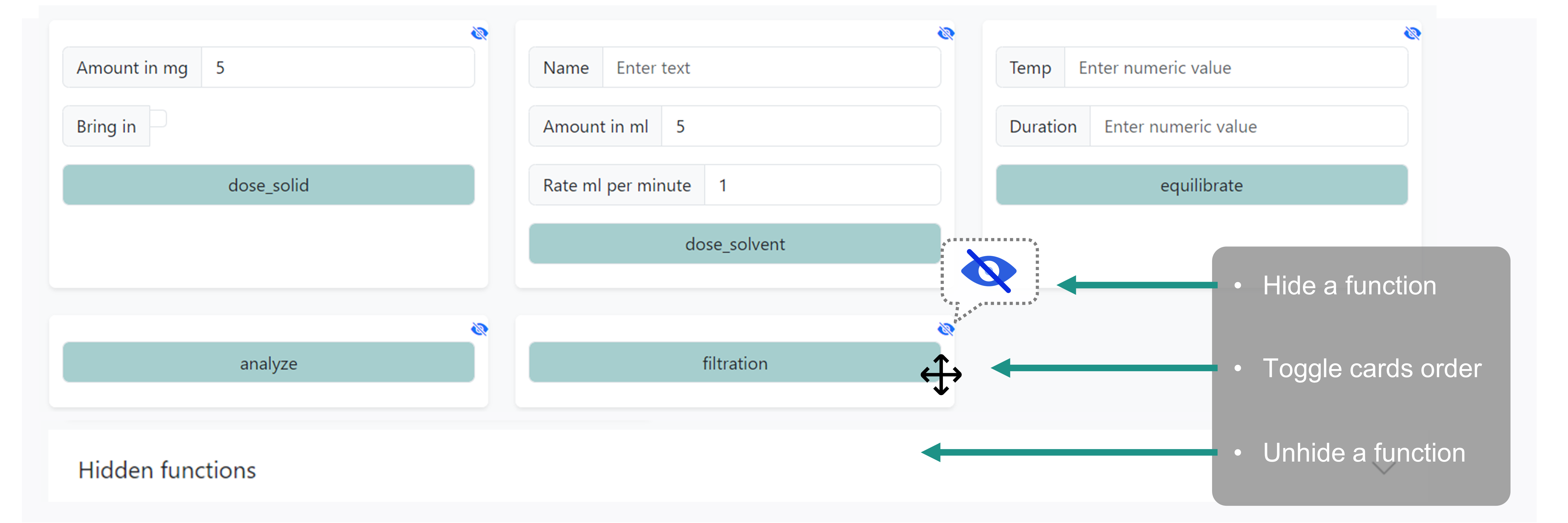
Use Devices to inspect the instruments, modules, and functions exposed by the running Python script. Device methods can be called directly for setup, manual checks, calibration, or one-off operations.
When a method has typed arguments, IvoryOS creates matching input controls where possible. Enum arguments appear as dropdown-style choices, while basic values such as numbers and strings appear as editable fields.
Design
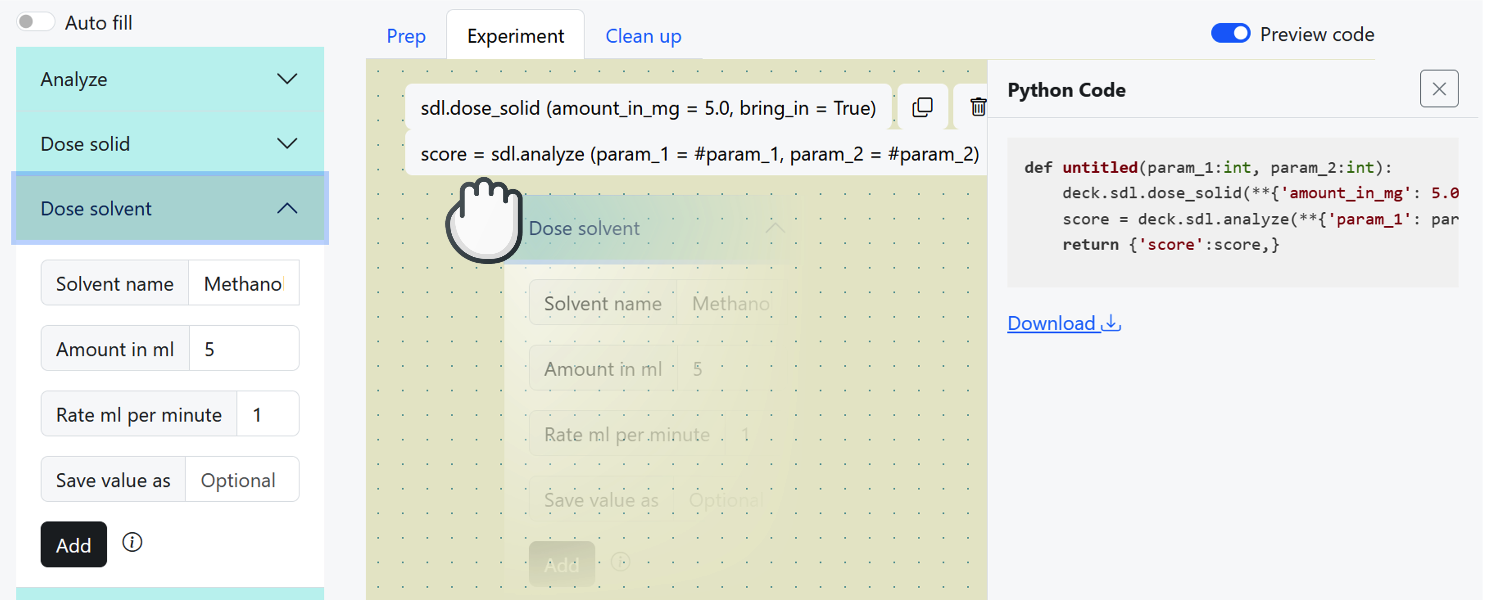
Use Design to build workflows from available actions.
Add actions from the available devices or workflow functions.
Fill constant values directly into action arguments.
Use
#parameter_namewhen a value should be configured later for a run.Add flow-control actions such as wait, comment, if, or while when the workflow needs structure.
Save return values from actions when later steps need to reuse them.
Save the workflow so it can be reused from the library or execution page.
If an action returns a fixed-length tuple, the designer can show one save field per returned item so multiple outputs can be named separately.
Library
Use Library to reopen saved workflows and templates. Integrators can also configure startup template imports so commonly used workflows are available when the app starts.

Execute
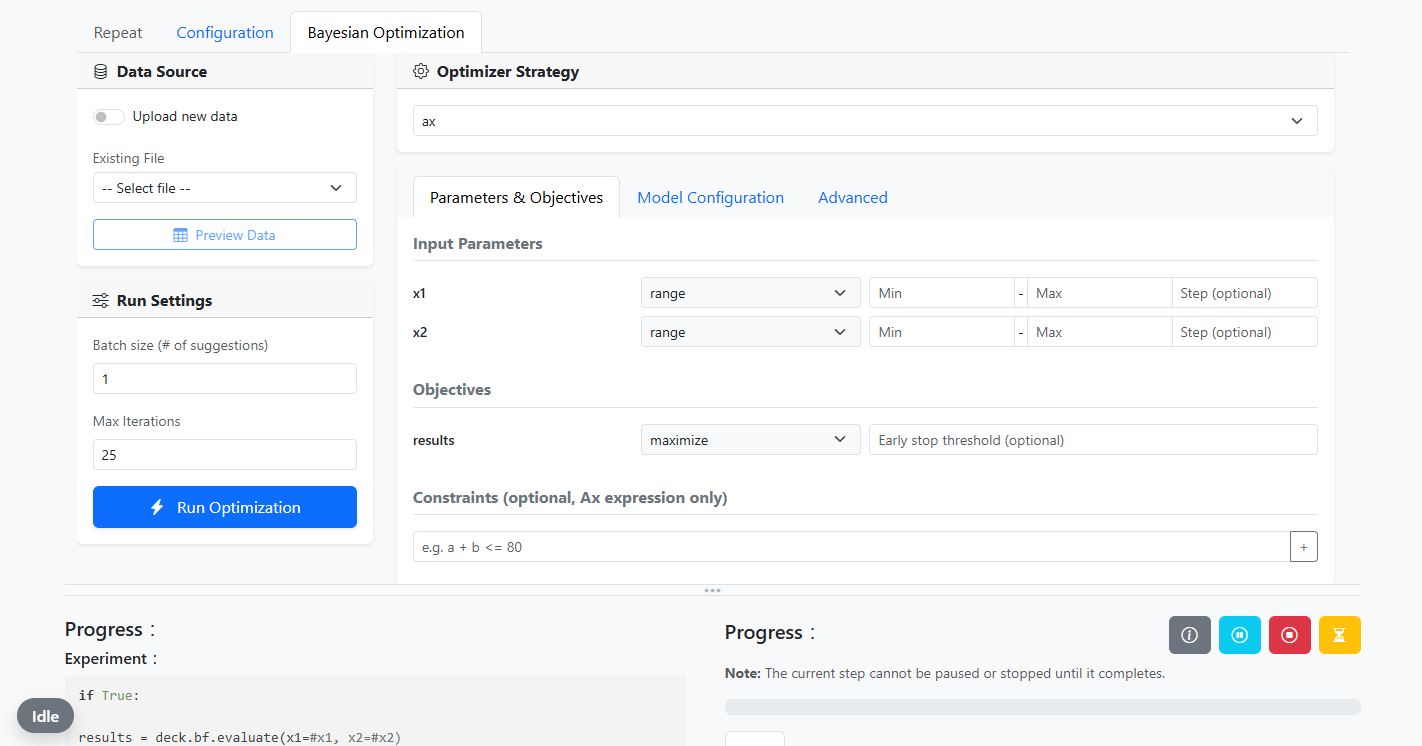
Use Execute to prepare and run a workflow.
IvoryOS chooses the available run configuration based on the workflow shape:
Workflow shape |
Run option |
|---|---|
No configurable parameters |
Repeat count |
Configurable parameters |
Parameter table |
Configurable parameters and numerical outputs |
Optimizer configuration |
Queued tasks can be named, paused, resumed, or stopped depending on their current state.
See Run behavior for prep, script, cleanup, pause, stop, and queue behavior.
Data
Use Data to inspect completed workflow records, step records, run outputs, logs, and generated result files.
IvoryOS stores run data under ivoryos_data/ in the working directory. The most commonly inspected folders are:
results/: workflow result CSV files.scripts/: generated workflow scripts and JSON workflow definitions.config_csv/: saved run configuration CSV files.llm_output/: design-agent prompts and raw responses.
